
Conduce: Tu App de Carros
NAVEGAAuto & Vehicles
4.619.00 Reviews
- Version
- 3.0.33
- Installs
- 100.00K
- Age Rating
- Teen
Screenshots
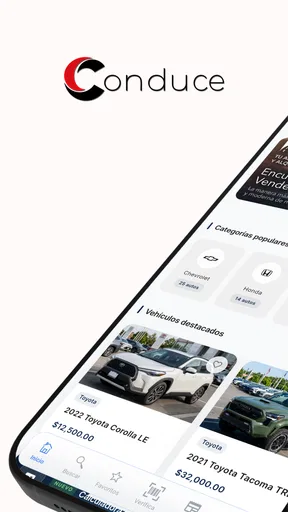

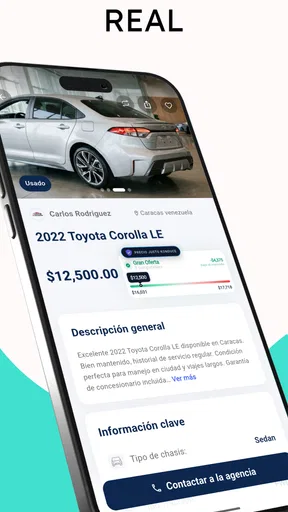
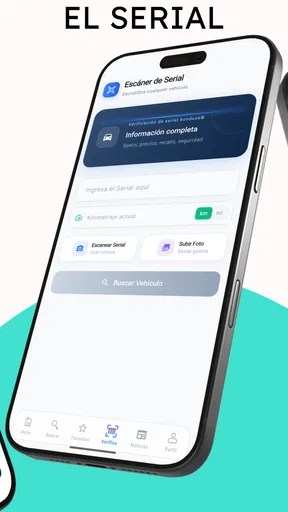
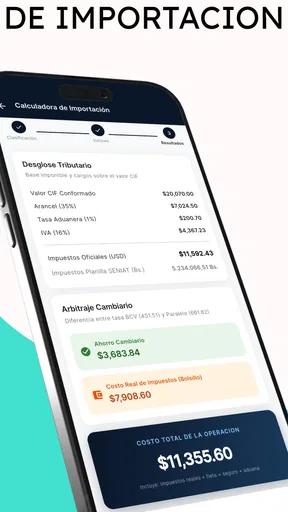

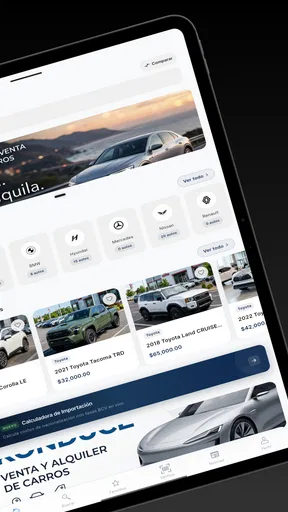
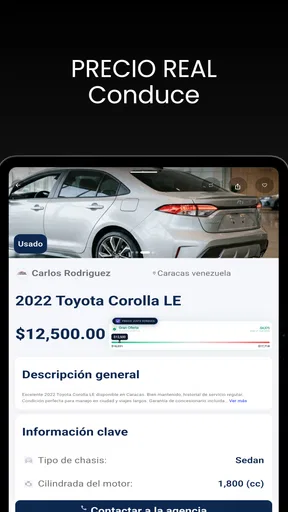
Our Review of Conduce: Tu App de Carros
 Analysis by Appyee
Buying or selling a car through a phone can sound simple until a form refuses to continue, a vehicle detail needs correcting, or a conversation with another person becomes difficult to organize. Conduce: Tu App de Carros is aimed at that practical part of car ownership: helping people buy, sell, and verify a vehicle from one place. I found its appeal less about flashy extras and more about reducing the number of separate steps involved in a car transaction.
It is a free Auto & Vehicles app from NAVEGA, with a Teen content rating and support for devices running Android 7.0 or later. The current version is 2.99.3, and the app has passed the fifty-thousand-install mark. Its average rating is 4.4, a useful sign that many users find the basic experience worthwhile, although the relatively small review volume means I would treat that score as encouraging rather than conclusive.
Where the real friction appears during a car search
The first thing I would tell a friend is that an app like this is only as useful as the information entered into it. A car marketplace can help organize a search, but it cannot make an incomplete description trustworthy by itself. When I looked at Conduce as a buyer, I approached every listing as a starting point for verification rather than as a final answer about the vehicle.
That distinction matters because people often get stuck before they even reach the interesting part. A seller may have to enter vehicle information carefully, while a buyer may need to compare details, ask follow-up questions, and decide whether the listing deserves an in-person inspection. If a screen seems confusing, the problem may be the order of the information being entered rather than a failure in the app.
A practical habit is to prepare the basics before creating or reviewing a listing. Keep the registration information, mileage, model details, and clear photographs nearby if you are selling. If you are buying, write down the details that matter most to you before opening the app: acceptable mileage, preferred vehicle type, budget, and the questions you want answered. This prevents the search from becoming an endless scroll through attractive but unsuitable cars.
The most important strength here is structure, not blind trust. Conduce gives a car-focused place to begin, but I would still treat verification as a separate responsibility. A listing can help you identify a possible purchase; it should not replace a physical inspection, a document check, or a professional opinion when the vehicle is expensive or complicated.
Why verification should happen in stages
When I review a vehicle listing, I separate what can be checked inside the app from what must be checked elsewhere. Basic listing information belongs to the first stage. Questions for the seller come next. The final stage is an independent check of the vehicle and its paperwork. Keeping those stages separate makes it easier to notice contradictions instead of allowing a polished listing to create false confidence.
This approach is especially useful for first-time buyers. A new buyer may focus on color, equipment, or monthly affordability and overlook the condition of the tires, signs of accident repair, or inconsistencies in the story of the car. Conduce can make the search more convenient, but convenience should be used to organize questions, not to skip them.
For sellers, the same principle works in reverse. A clear listing saves time because it answers common questions before they become messages. I would use consistent wording, avoid vague claims, and make sure the vehicle details match the documents. If something needs explanation, it is better to explain it early than to leave a buyer wondering whether the omission was intentional.
Setup checks that prevent avoidable problems
My recommended setup is deliberately simple. First, install the app on a compatible device and allow it to finish loading before beginning a listing or search. Since the minimum operating system is Android 7.0, older phones may technically qualify but still feel less comfortable if storage is tight or the system is under heavy load. Closing other apps and keeping free space available are sensible first steps when screens load slowly.
Next, make sure the information you plan to use is consistent. A seller should not rely on memory for identification details or mileage. A buyer should save notes outside the app if a particular vehicle is important, especially when comparing several options. This is not glamorous advice, but it prevents a common mistake: confusing two similar listings and asking the wrong seller the wrong question.
Photos deserve more attention than many people give them. I would take them in good light, include the exterior from several angles, and show areas that a buyer would naturally ask about. Avoid using pictures that hide damage or make the car appear different from its current condition. For a buyer, inspect images for continuity: do the wheels, interior, and body color appear to belong to the same vehicle? Odd inconsistencies are a reason to ask questions before arranging a meeting.
Another useful preparation step is deciding whether you are browsing casually or actively shopping. Casual browsing works well for learning what is available. Active shopping requires a short list and a repeatable method. I would record the asking price, mileage, location, visible condition, and unanswered questions for every serious candidate. That makes Conduce part of a decision process rather than just a stream of listings.
What to do when a form or screen will not cooperate
If a form does not advance, I would first check the obvious items: required fields, spelling, selected vehicle category, and whether an image or detail is still processing. Re-entering only the questionable field is usually better than deleting everything and starting over. If the app appears frozen, wait briefly, return to the previous screen, and reopen the relevant section rather than repeatedly tapping the same control.
Connectivity is another easy source of confusion. A weak connection can make a submission appear unsuccessful even when the app is still working. I would avoid pressing a final action several times, because repeated attempts can create uncertainty about whether a listing or message was sent once or more than once. A stable connection and one deliberate submission are safer than rapid retries.
It is also worth checking whether the issue is limited to one vehicle or affects the entire app. If searches work but a particular listing does not open, the problem may be tied to that item. If every screen behaves slowly, the cause may be the device, connection, or temporary app state. This simple comparison often saves more time than immediately reinstalling.
Recovering a stalled buying or selling workflow
When a transaction process breaks halfway through, I prefer recovery over improvisation. Start by noting the last action that definitely worked. For example, if the vehicle details were accepted but the photographs did not appear, focus on the image step rather than rebuilding the vehicle record. If a search was working until a filter changed, return to the previous filter combination and add changes one at a time.
For sellers, keep a copy of the listing information in a note while working. Include the exact vehicle description, the order of the photographs, and any wording that matters. If the process must be repeated, this small backup prevents accidental changes and reduces the chance of forgetting a detail. It also makes it easier to compare the completed listing with the information you intended to publish.
For buyers, recovery means preserving the identity of the vehicle you were considering. Record enough information to find it again, such as the seller’s wording, distinctive details, and the vehicle description. If the listing disappears from your immediate view, do not assume the car was sold or that the app lost it permanently. Recheck the search criteria and broaden them carefully before drawing conclusions.
Messages require similar discipline. I would keep questions short and grouped by topic: ownership and documents, mechanical condition, recent work, and the reason for selling. If the seller answers only part of the message, send a focused follow-up instead of repeating the entire list. This makes the conversation easier to evaluate and exposes evasive answers more clearly.
When restarting helps and when it does not
Closing and reopening the app can clear a temporary display problem, but it will not correct inaccurate vehicle information or a misunderstanding between buyer and seller. Reinstalling should be a later step, not the automatic response to every inconvenience. Before taking that step, I would make sure important notes are stored elsewhere and that I know which part of the process needs to be repeated.
If a problem continues after a clean restart, compare the behavior on another connection or at another time. The goal is not to guess at hidden technical causes; it is to isolate the problem. A single failed upload, a listing-specific issue, and a general inability to load the app are different situations and deserve different responses.
I also would not treat a successful screen transition as proof that a transaction is complete. After creating or changing a listing, review the visible result. After arranging a meeting, confirm the details in writing. After receiving vehicle information, compare it with the documents and the physical car. These checks protect against both technical confusion and ordinary human error.
When the app is not the cause
Some disappointing experiences have little to do with the application. A seller may respond slowly, a vehicle may be misrepresented, or a meeting may become inconvenient even when the app is functioning correctly. In those situations, changing settings will not solve the underlying problem. The right response is to slow down, ask direct questions, and walk away when the answers do not make sense.
Safety should shape the entire process. I would avoid treating an in-app conversation as proof of identity, condition, or ownership. Meet in a sensible public setting, tell someone where you are going, and do not allow urgency to replace verification. A request to send money before seeing the vehicle deserves particular caution, regardless of how professional the listing looks.
There is also a limit to what a car marketplace can do for a buyer who needs specialist advice. If you are considering a vehicle with complicated mechanical symptoms, unusual paperwork, or a price that would create financial pressure, a mechanic or qualified local professional may be more valuable than another hour of searching. Conduce is better at helping you find and organize possibilities than at replacing expertise.
Compared with general classified platforms, a vehicle-specific app feels more focused for someone who already knows they are shopping for a car. That focus can reduce irrelevant browsing and make the buying or selling purpose clearer. On the other hand, a broader marketplace may offer a larger variety of unrelated sellers, local services, or categories in one place. I would choose Conduce when the car transaction itself is the priority, not when I want an all-purpose classifieds experience.
Compared with visiting dealerships, the app can feel more direct and less formal. That may help private buyers and sellers communicate efficiently, but it also means I would take more responsibility for checking the vehicle, documents, and other party. A dealership may provide a more guided process, while Conduce suits someone comfortable doing careful research independently.
Who will get the most from it
I think the app is a good fit for a private seller who wants a dedicated place to present a car clearly, especially when that person is willing to prepare accurate details and answer questions. It also suits a buyer who wants to compare vehicles at their own pace and is comfortable treating listings as leads rather than guarantees.
It is less suitable for someone who expects the app to complete every part of a purchase automatically. If you want financing guidance, a guaranteed inspection, dealership-style support, or a fully managed sale, a specialist service with those responsibilities may be a better match. I would also hesitate to recommend relying on it alone for an urgent purchase where the buyer has no time to inspect or verify anything.
The Teen rating makes the app broadly accessible from an age-classification perspective, but that should not be confused with a recommendation for unsupervised vehicle transactions. Buying or selling a car involves money, personal safety, and legal responsibility. Younger users should involve a trusted adult and avoid sharing sensitive information casually.
My practical verdict after using it as a car-shopping tool
Conduce: Tu App de Carros makes the most sense when you use it as an organized starting point for a real-world car transaction. I like the clear focus on buying, selling, and verification, and the free price removes an obvious barrier for someone who wants to explore the market before committing. The 4.4 average and more than fifty thousand installs suggest that it has found a useful audience, while its six published reviews make me cautious about assuming every situation will feel equally smooth.
My strongest recommendation is to build a small routine around it: prepare accurate information, inspect listings critically, keep notes, send focused questions, and verify everything outside the screen before exchanging money. That routine also helps diagnose friction. If a form fails, isolate the step. If a listing seems suspicious, investigate the vehicle rather than blaming the interface. If a conversation becomes pressured or unclear, stop and reassess.
The app is not a substitute for a mechanic, official documents, a safe meeting plan, or good judgment. It is a focused tool for bringing the search and sale into one car-oriented space. For a careful buyer or seller who wants convenience without surrendering responsibility, I would recommend trying it. For anyone looking for a completely managed purchase, a broader service or professional dealership may be the better choice.
Overall, I see NAVEGA’s app as most valuable when it helps you make better decisions, not faster ones. Use it to narrow the field, organize conversations, and prepare the next real-world check. If you keep that boundary in mind, the experience is practical, approachable, and worth adding to your car-buying or car-selling process.
Privacy and Permissions
See what permissions an app requests and how it handles your data.
- Location
- precise location (GPS and network-based)
- Photos/Media/Files
- read the contents of your USB storage, modify or delete the contents of your USB storage
- Storage
- read the contents of your USB storage, modify or delete the contents of your USB storage
- Camera
- take pictures and videos
- Microphone
- record audio
- Other
- view network connections, pair with Bluetooth devices, access Bluetooth settings, full network access, control Near Field Communication, run at startup, control vibration, prevent device from sleeping, Google Play license check, read Google service configuration
Verdict
Strengths of Conduce: Tu App de Carros
- Quickly compare nearby rides and available car options.
- Clear trip details help you review key information before booking.
- Useful for users who prefer arranging transportation from their phone.
- Can simplify finding a suitable ride in unfamiliar areas.
- Mobile access makes booking more convenient while traveling.
Limitations of Conduce: Tu App de Carros
- Availability may vary considerably depending on your location.
- Some features may require an account or personal information.
- Prices and ride options can change quickly during busy periods.
- The experience depends on participating drivers and service providers.
- Not all vehicles or transportation categories may be offered everywhere.
Similar Picks in This Category
View All
Android Auto
Google LLC4.1

maxim — order a taxi & food
PT. SITO4.7

Штрафы ГИБДД: проверка с фото
Pays LLC – Штрафы ГИБДД4.7

Номерограм – проверка авто
Авто Ассист4.8

Дром Авто
Дром4.9

Frequently Asked Questions
What is Conduce: Tu App de Carros and who is it designed for?
Conduce: Tu App de Carros is a mobile application focused on helping users manage, discover, or access car-related services from their smartphones. It may be useful for drivers, vehicle owners, and people looking for a more convenient way to handle transportation needs. Before downloading, check the app description and availability in your country, since features and supported services can vary by location.
What features does Conduce: Tu App de Carros offer?
The app is designed to bring car-related tools and services together in one place, making everyday driving tasks more convenient. Depending on your region and account type, available features may include browsing vehicle options, requesting services, managing information, or communicating with providers. We recommend reviewing the current in-app feature list because functionality can change through updates and may not be identical for every user.
Is Conduce: Tu App de Carros free to download and use?
Conduce: Tu App de Carros may be available as a free download, but downloading the application does not necessarily mean that every service inside it is free. Some actions, bookings, transportation services, purchases, or premium options could involve additional charges. Before confirming a transaction, carefully review the displayed price, payment conditions, cancellation rules, and any applicable taxes or service fees.
Does Conduce: Tu App de Carros require an account or personal information?
Many of the app’s useful functions may require users to create an account and provide information such as a name, phone number, email address, location, or payment details. This information can help with verification, communication, and service management. Before registering, read the privacy policy and app permissions carefully, and only provide the data necessary to use the features you actually need.
Is Conduce: Tu App de Carros available on both Android and iPhone?
Availability can depend on the operating system, country, and current publisher support. Users should look for the official Conduce: Tu App de Carros listing in the Google Play Store for Android or the Apple App Store for iPhone, rather than downloading files from unknown websites. Also verify the developer name, recent update date, ratings, device compatibility, and required operating-system version before installing.
